Ever lost hours of work because you saved over the wrong file? Or wished you could go back to how your document looked last week? Pier gives you that power — without any technical setup. Download Pier on App Store.
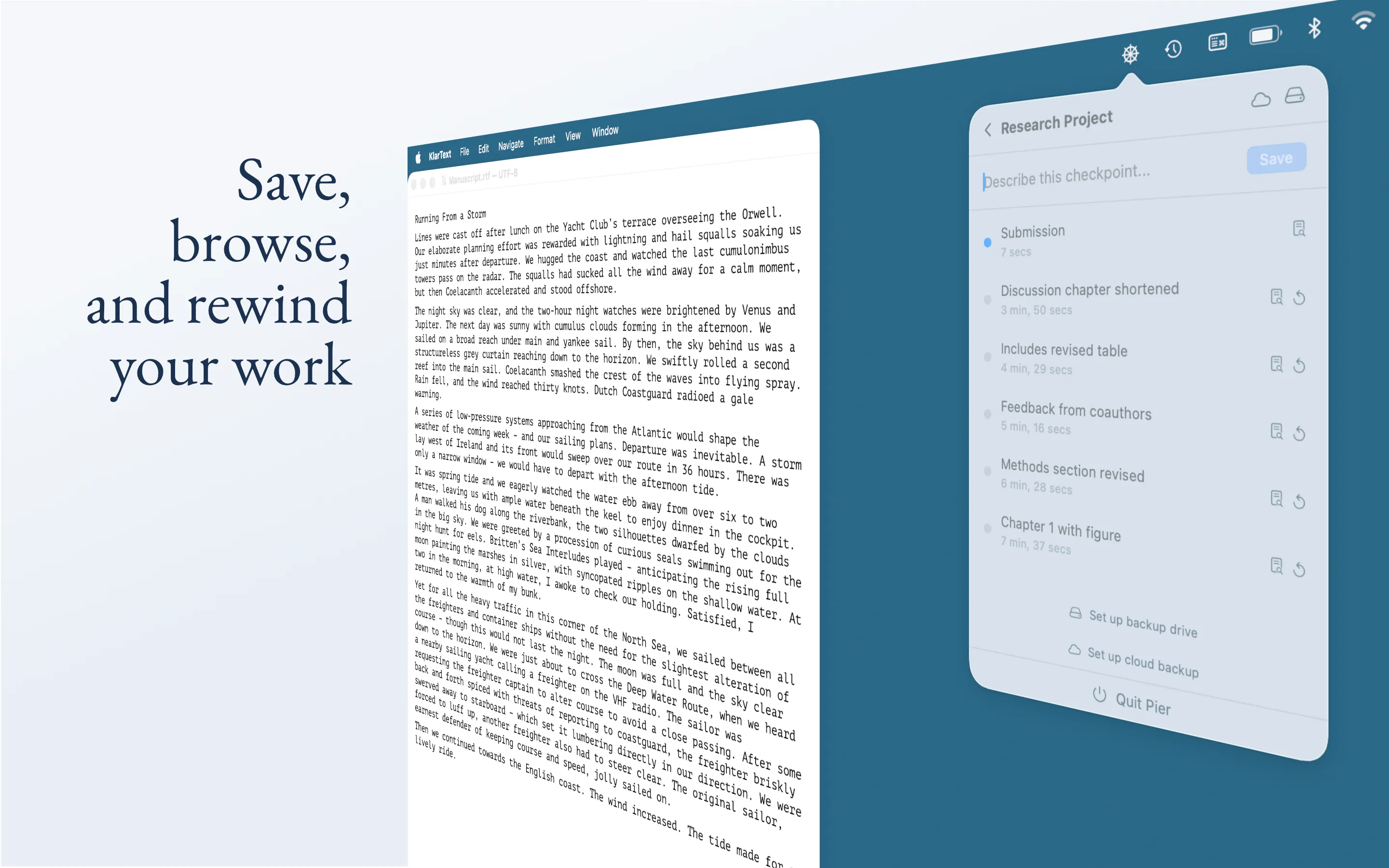
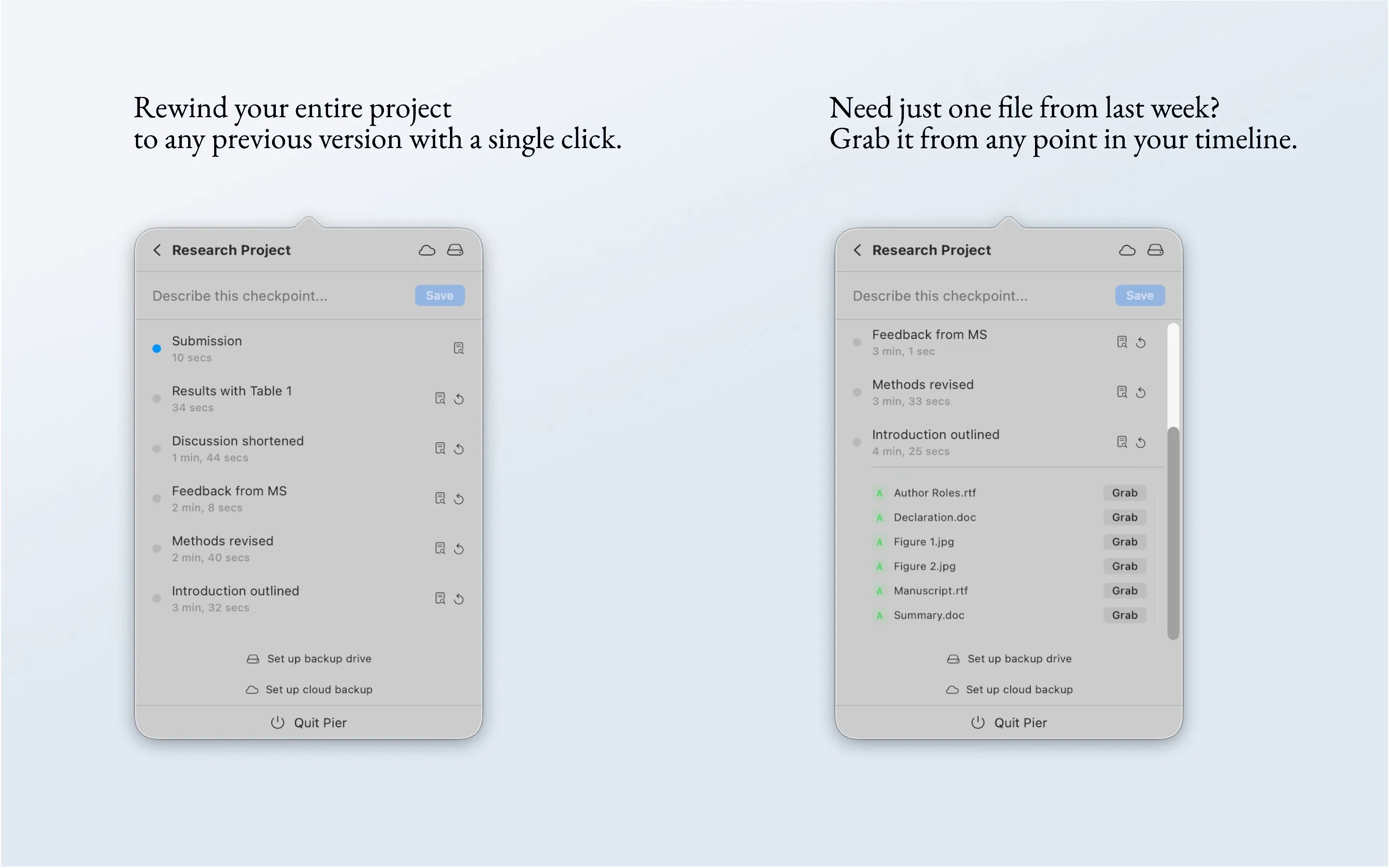
Save snapshots of your entire project folder. Whether it’s a research proposal, a thesis draft, a design project, or a codebase — Pier lets you take a snapshot (we call it a checkpoint) at any moment. Add a short note like “before restructuring chapter 3” and move on. If things go sideways, you can browse your full history and jump back to any earlier version — or pull out just a single file from the past. Here’s the manual.
This isn’t like hitting undo a hundred times. It’s a timeline of your work that never disappears, no matter how many times you save.
Three copies of your work, automatically. Professionals who manage critical data follow what’s known as a 3-2-1 rule: keep three copies of your files, on two different types of storage, with one stored somewhere else entirely. Pier makes this effortless:
- Your project folder — where you work every day, now with full version history.
- An external drive — plug in a USB drive or connect a NAS, and Pier backs up every checkpoint automatically whenever the drive is connected.
- A cloud folder — pick a folder in Google Drive, Dropbox, iCloud, or your university’s cloud storage, and Pier keeps an up-to-date copy there too. If your laptop and your backup drive are ever lost or damaged at the same time, your work is still safe.
You don’t need to think about syncing, copying, or organizing backup folders. Pier handles it behind the scenes every time you create a checkpoint.
Built for people who aren’t developers. Pier lives in your menu bar, out of the way until you need it. There’s no terminal, no command line, no jargon. If you can name a file, you can use Pier.
That said — if you are a developer who’d rather skip the terminal for personal or solo projects, Pier works just as well for code. Same simplicity, same safety net.
The Tech Behind Pier
Pier is a native macOS menu bar app built with SwiftUI and Swift Concurrency. Under the surface, it’s a thin, opinionated layer on top of Git.
Versioning. When the user adds a project folder, Pier initializes a local Git repository (or adopts an existing one). Each checkpoint is a commit. The timeline is git log. Rewind is git checkout. Grab (restoring a single file from an earlier version) is git show. The user never sees any of this — no branches, no staging area, no merge conflicts.
3-2-1 Backup. Pier supports two kinds of backup destinations, both using the same mechanism: git clone —bare for the initial setup, then git push for incremental updates. An exported copy of the latest working files is placed alongside the bare repo for easy access without Git.
- External drives are identified by volume UUID and monitored via NSWorkspace mount/unmount notifications. When a known drive is connected, Pier pushes automatically.
- Cloud folders (Google Drive, Dropbox, iCloud, OneDrive) are just local paths that happen to be synced by a cloud client. No API integration — Pier writes to the folder, the cloud client does the rest. The provider is auto-detected from the path for display purposes.
Architecture. The app is split into two targets: PierCore (Swift package with actors for CheckpointEngine, MirrorEngine, and GitRunner) and PierApp (SwiftUI views, AppState as the central @Observable, VolumeMonitor for drive events). All file access uses security-scoped bookmarks for App Sandbox compliance. The entire data model is persisted as a single JSON file.